
WordPress maintenance for secure, updated and reliable websites
We look after WordPress websites and WooCommerce stores with updates, backups, security checks, performance work and practical technical support, so you can focus on your business.
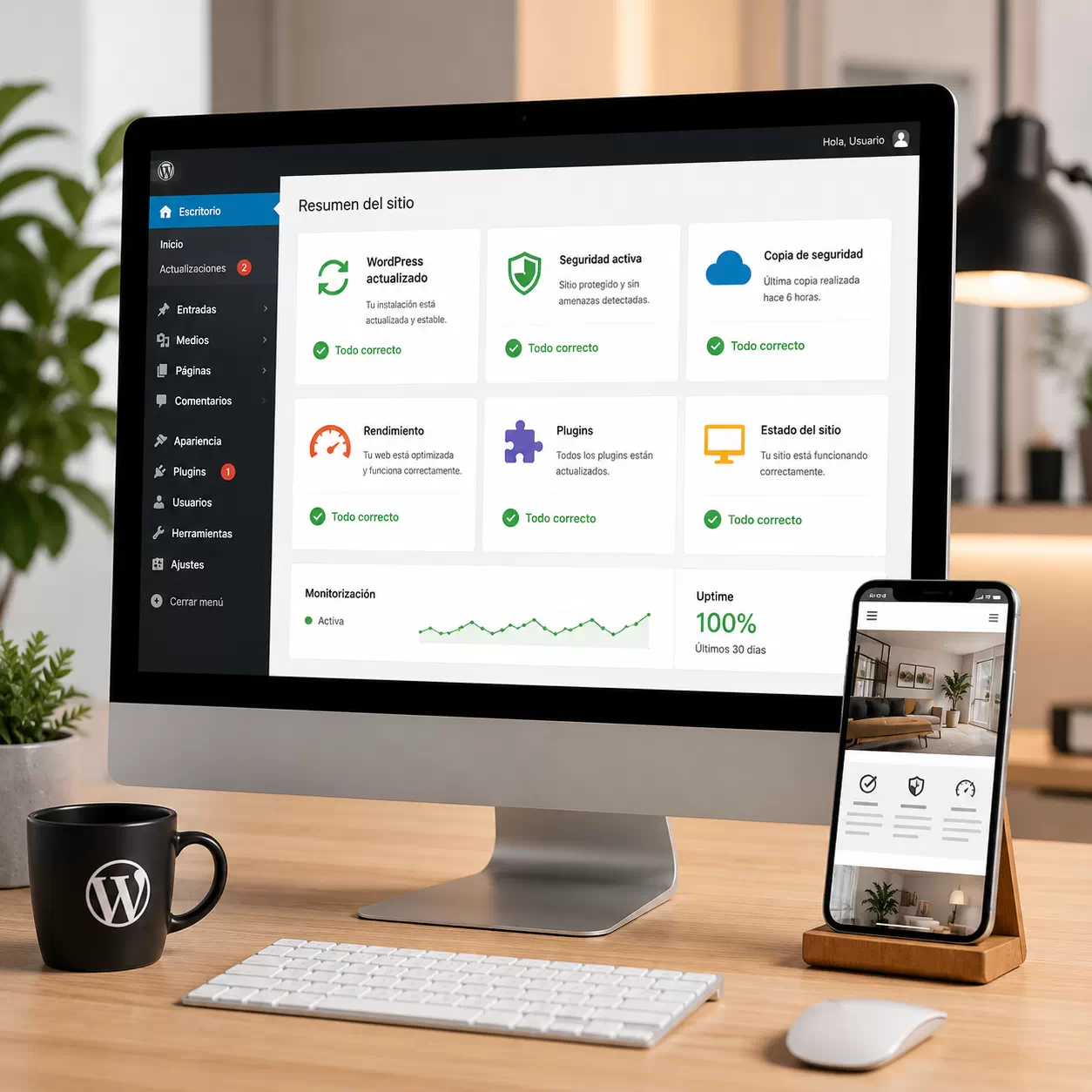
Your website may need maintenance even when it appears to work
Pending updates, incompatible plugins, missing backups and security gaps can remain invisible until they cause a crash, slow loading, broken forms or lost enquiries.
We take care of the technical routine so you can keep your website available and make decisions with more confidence.
Maintenance helps you avoid:
- Broken updates and plugin conflicts.
- Data loss without a recent backup.
- Security vulnerabilities and malware.
- Slow pages and performance problems.
- Unexpected technical emergencies.
WordPress support for businesses, professionals and online stores
The service is designed for organisations that need a stable, updated and protected website without having to manage the technical work themselves.
Corporate websites
Keep your business website updated, protected and ready for customers.
WooCommerce stores
Protect the catalogue, checkout and key processes that keep your store running.
Self-employed professionals
Spend less time solving technical errors when your website is important for attracting clients.
Websites needing a review
Start with a technical review if you are unsure what has been updated, protected or backed up.
We keep your website working as it should
The exact scope depends on your website, but maintenance normally combines updates, security, backups, performance checks and technical support.
WordPress core updates
Planned updates with checks before and after the process.
Plugins and themes
Review of compatibility, updates and the elements that affect your website.
Backups
Recent copies that give you a recovery option when something goes wrong.
Security checks
Preventive checks and practical measures to reduce common WordPress risks.
Performance
Basic checks on loading, resources, images and avoidable bottlenecks.
Technical support
Clear explanations and help when you need to make a technical decision.
Error review
We look for visible warnings, plugin problems and issues affecting the website.
WooCommerce review
For stores, we review important elements such as orders, payments and the checkout process.
Basic monitoring
We review the general state of the website to spot problems before they affect customers.
It is usually better to prevent errors than repair a website after a failure
Many WordPress incidents begin with neglected maintenance: outdated plugins, incompatible versions, broken forms or security problems that were not visible at first.
A preventive routine gives you a way to review, protect and update the website before a small issue affects your customers or sales.
If your website is important for enquiries, online sales or trust, keeping it stable should be part of the plan rather than an emergency reaction.
Problems we help prevent
- Errors after updating plugins or themes.
- Forms that stop sending messages.
- Slow pages caused by unnecessary resources.
- Security issues linked to outdated software.
- WooCommerce, payment or checkout errors.
- Loss of information without recent backups.
Updates, backups and protection for your WordPress website
Outdated software can make a website vulnerable, slow or unstable. WordPress maintenance should therefore cover updates as well as backups and basic protection.
Before important changes, we review the general state of the site to reduce the risk of conflicts between the core, plugins, theme and hosting environment.
Recent backups also provide a recovery option if a technical fault, human error or security incident affects the website.
What we review
- Installed WordPress version.
- Active plugins and available updates.
- Main theme and child theme where relevant.
- Recent and usable backups.
- Basic security and access settings.
- Compatibility before and after updates.
- Critical errors and technical warnings.
Factors that can affect performance
- Unnecessary or poorly configured plugins.
- Images that are too heavy.
- Missing or poorly configured caching.
- A database that has accumulated unnecessary data.
- Loading problems on mobile or desktop.
- External resources that slow the site down.
- Compatibility issues after updates.
A maintained website should also be fast and comfortable to use
WordPress maintenance is not only about updates and backups. A slow or unreliable website can affect the user experience and make visitors leave before they contact you or complete a purchase.
We review loading, resources, plugins, mobile experience and the general behaviour of the website. If a deeper speed project is needed, we can coordinate it with technical SEO.
A well-maintained website inspires more confidence, works better day to day and gives customers a more stable experience.
Maintenance adapted to the state of your website
Not every website needs the same level of follow-up. We review your situation and recommend support based on the type of project and how important the website is to your business.
Basic maintenance
For simple websites that need updates, backups and regular checks to remain stable.
Professional websites
For businesses that rely on their website to attract enquiries, show services and build trust.
WooCommerce stores
For stores that need extra care around products, orders, payments, shipping and customers.
One-off technical support
For a specific error, an outdated website or an incident that needs attention.
A clear process from the first review to ongoing support
We start by understanding what is happening with your website before applying changes. That keeps the work focused and reduces unnecessary risk.
Initial review
Diagnosis
Plan
Updates
Backups and security
Support
WordPress maintenance with clear support and practical communication
We help you look after your website with a practical view: keep it updated, secure, reasonably fast and ready to work properly day after day.
- Personal support from Murcia.
- Experience with WordPress and WooCommerce.
- Clear communication without unnecessary jargon.
- Prevention before urgent repair.
- Review of security, backups and performance.
- Technical support for questions, errors and improvements.
Keep improving your digital presence
Website maintenance can be combined with improvements to structure, local visibility or wider digital marketing when the project needs them.
Technical SEO
Improve the technical foundation, performance and structure that support your website.
See technical SEOLocal SEO
Help nearby customers find your business through your website and local presence.
See local SEODigital marketing strategy
Connect your website with content, campaigns and other digital channels.
See digital marketingQuestions about WordPress maintenance in Murcia
These are some of the questions businesses ask before choosing support for a WordPress website or WooCommerce store.
What does WordPress maintenance include?
It can include updates, backups, security checks, performance work, technical support, error reviews and general monitoring of the website.
How often should WordPress be updated?
It depends on the website, its plugins and how often updates are released. Regular reviews help reduce security and compatibility risks.
What happens if I do not maintain my website?
An outdated website can become more vulnerable, slow or unstable. Forms, visual elements and WooCommerce processes can also fail after compatibility problems.
Do you make backups?
Yes. Backups are an important part of maintenance because they provide a recovery option after a technical error, human mistake, crash or security incident.
Do you maintain WooCommerce stores?
Yes. We can review updates, plugins, security, performance, checkout, payment methods and the general operation of the store.
Can you fix one-off WordPress errors?
Yes. We can review visible errors, plugin issues, forms, loading problems and failures after an update, whether or not you need ongoing maintenance.
Can maintenance improve website speed?
It can help when unnecessary plugins, heavy images, caching, database issues or other avoidable problems affect performance. Some websites need a more specific optimisation project.
Do you only work with businesses in Murcia?
We support businesses in Murcia and elsewhere in Spain through online work, depending on the type of website and technical needs.
Would you like to stop worrying about WordPress maintenance?
Tell us what is happening with your website and we will help you define the safest next step.
Get a maintenance review